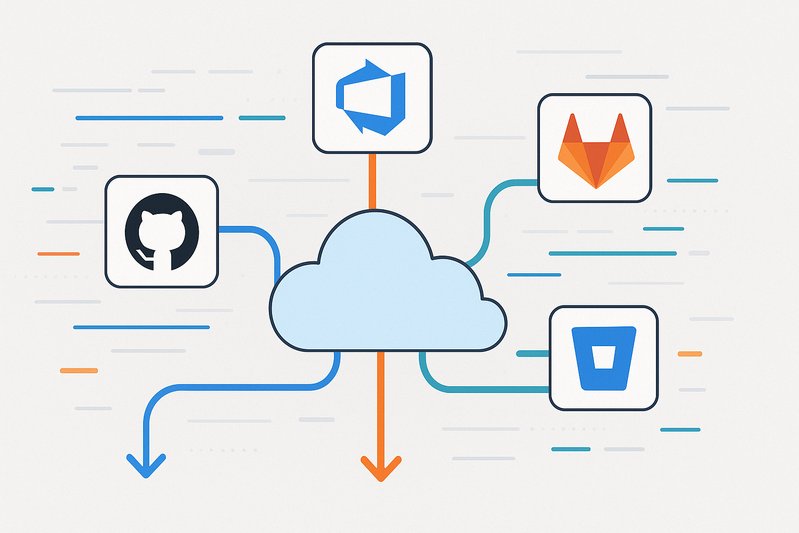
Mastering the Migration: Strategies for Moving to GitHub from Other Platforms
Achieve a seamless transition to GitHub with tailored strategies for Azure DevOps, GitLab, and Bitbucket users.
Migrating to a new platform always presents a maze of challenges, especially when moving critical development processes and data between sophisticated systems like Azure DevOps, GitLab, and Bitbucket to GitHub. In 2026, as organizations increasingly embrace GitHub for its robust open-source and enterprise capabilities, crafting a comprehensive migration strategy becomes crucial for success.
The Importance of Strategic Migration
Successful migration to GitHub is more than a technical exercise; it’s an organizational transformation. A seamless transition involves a comprehensive assessment and strategy that considers code repositories, CI/CD pipelines, access controls, and compliance requirements. GitHub offers both Enterprise Cloud and Enterprise Server versions, each providing distinct pros and cons related to identity management, data residency, and operational control.
To choose the optimal path, organizations must evaluate their regulatory and operational needs. GitHub Enterprise Cloud (GHEC) provides immediate access to new features and a streamlined SaaS experience at the expense of aligning with GitHub’s data residency policies. Conversely, GitHub Enterprise Server (GHES) offers greater control and compliance with data residency requirements, albeit with increased operational overhead [13][11][60].
Crafting Tailored Migration Paths
Azure DevOps to GitHub
The move from Azure DevOps to GitHub should leverage GitHub Enterprise Importer to efficiently migrate repositories and pull requests [51]. GitHub Actions Importer can help in translating Azure DevOps pipelines into equivalent GitHub Actions workflows, although refinement is often required to ensure production readiness [2]. Due to partial support in tools, migrating work items from Azure Boards often requires additional scripting or third-party utilities [42].
GitLab to GitHub
GitLab users will find GitHub Enterprise Importer useful for transferring repositories and metadata such as issues and merge requests, depending on version and scope. Actions Importer can convert GitLab CI configurations to GitHub Actions workflows, helping maintain CI integrity [52]. GitHub’s versatility allows it to accommodate different GitLab setups and ensure an efficient migration process.
Bitbucket to GitHub
For Bitbucket Server/Data Center, the GitHub Enterprise Importer’s bbs2gh tool smooths the migration process, particularly for repositories and pull request metadata. CI/CD integrations are typically external, necessitating manual efforts to adapt existing setups to GitHub Actions [50]. Bitbucket Cloud requires GitHub Importer or manual scripting for full features migration due to variations in repository formats [37].
Handling Compatibility and Performance
Large repositories pose performance challenges. GitHub imposes a 100MB file push limit and recommends Git Large File Storage (LFS) for handling large binary files, which can otherwise clog repository history [8][9]. Pre-migration assessments should identify large files and reassign them to LFS, using tools like git-filter-repo for cleaning up histories [6].
Maintaining CI/CD performance and compatibility involves strategic alignment of runner resources. GitHub Actions supports both GitHub-hosted and self-hosted runners, allowing flexibility. Organizations can scale self-hosted runners using Actions Runner Controller to meet specific needs, thereby optimizing costs and performance [11][12].
Post-Migration Modernization
Modernizing development workflows post-migration is key to leveraging GitHub’s capabilities. This includes adopting trunk-based development, enforcing protections with CODEOWNERS, and maximizing CI/CD efficiency by creating reusable workflows and using OpenID Connect for cloud credentials [15][20][18]. Security should be enhanced by enabling Dependabot alerts, code scanning, and secret scanning, which can preemptively protect against vulnerabilities and credential leaks [24][25][28].
Conclusion: Key Takeaways
Migrating to GitHub requires a comprehensive, strategic approach that considers regulatory compliance, data residency, and operational control. The choice between GitHub Enterprise Cloud and Enterprise Server depends heavily on the organization’s data policies and operational capabilities. Leveraging GitHub’s suite of migration tools, organizations can achieve a smooth transition from Azure DevOps, GitLab, and Bitbucket while setting the foundation for improved development processes, security measures, and operational efficiency.
Key success indicators include minimized downtime, increased CI/CD efficiency, and enhanced security posture—all supported by vigilant governance and change management. When executed effectively, migration to GitHub is not just a change of toolset but a pathway to enhanced development agility and collaboration.