Seamless Synergy: macOS and iPadOS’s 2026 Unified Development Ecosystem
Subtitle: A deep dive into the convergence of features and capabilities across Apple’s platforms in 2026
Introduction
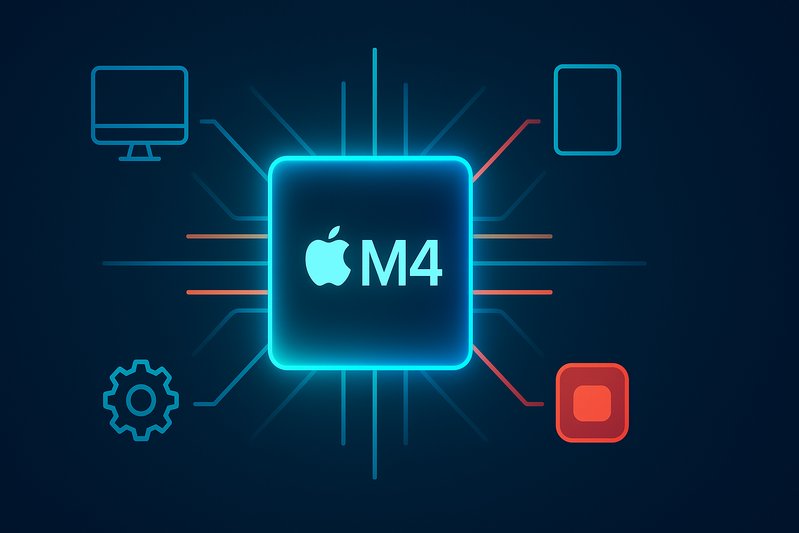
The year is 2026, and Apple continues to redefine innovation with their unified development ecosystem. Leveraging the power of the latest Apple Silicon M4 chip, both macOS and iPadOS evolve toward unprecedented integration. This transformation not only bridges two of Apple’s main operating systems but also offers a cohesive suite of tools and technologies aimed at developers. As we stand at the brink of a new era in computing, let’s explore how Apple’s meticulously designed silicon architecture and software advancements create a seamless synergy for developers.
Apple Silicon M4: The Backbone of Innovation
The Apple Silicon M4 represents a significant leap over its predecessors. Continuing the heterogeneous system-on-chip (SoC) architecture, the M4 integrates high-performance and efficiency CPU cores with an Apple tile-based GPU, a powerful Neural Engine, and hardware media engines, all underpinned by a unified memory fabric [1][37]. These features manifest in remarkable CPU/GPU performance-per-watt gains, setting a new standard for computational efficiency.
Specifically, the M4 boasts up to 38 TOPS in its Neural Engine, vastly improving on-device inference throughput compared to previous generations [13]. This technical prowess is complemented by the latest GPU innovations, including hardware-assisted ray tracing and mesh shading, features that cater to graphic-intensive applications across iPad Pro and Mac platforms [6][7][37].
Unified Development Frameworks and Tools
With macOS 15 (Sequoia) and iPadOS 18 now at the developer’s disposal through Xcode 16.x, Apple offers a robust set of tools optimized for the M4’s capabilities. This integrated development environment includes Swift 6 with enhanced concurrency features, and expanded Metal 3 APIs, enabling developers to harness hardware advances for both rendering and compute tasks [8][9].
An exciting aspect of this integration is the potential for cross-platform module development. While macOS and iPadOS maintain distinct UI frameworks—AppKit for macOS and UIKit/SwiftUI for iPadOS—core programs, algorithms, and models can now be packaged for both platforms, thus reducing duplication of effort and enhancing software maintainability [3].
Real-World Application and Developer Practices
The ability to streamline code and functionalities across platforms encourages developers to build applications that cater to both environments without compromising on performance. For instance, a shared data model can run on both iPadOS and macOS leveraging NEON on CPU and GPU/NPU backends via Apple’s vectorized frameworks [10][11][12]. This makes it easier to optimize applications for different devices using system intelligence to execute tasks on the most efficient architecture available.
Developers are encouraged to employ the Metal Feature Set Tables alongside runtime capability queries to safely gate advanced features on various devices, ensuring an enriched user experience regardless of the hardware in use [6][7].
Getting Started: Optimizing with the Right Tools
For developers transitioning to or starting on Apple Silicon, a methodical setup is crucial. Installing Xcode 16 ensures access to the latest Swift 6 language mode and command-line tools, while Homebrew provides a streamlined approach to app environment management by ensuring ABI compatibility with arm64-native packages [17][18][39].
Optimizing applications involves a meticulous process of profiling and tuning with Instruments. This tool allows developers to pinpoint CPU, GPU, and memory bottlenecks while applying targeted interventions like batching workloads, adjusting QoS, or leveraging Apple’s Metal for GPU compute tasks [34][35].
Porting and Optimization: Best Practices
Migrating existing applications to the Apple Silicon platform can be straightforward with universal or native arm64 builds using Xcode’s architecture options [50]. As the industry pushes towards unified builds, porting challenges are mitigated by using Apple’s Accelerate and BNNS frameworks, which offer optimized, high-level primitives for critical computation tasks [10][11].
Incorporating Swift’s concurrency features and ensuring data-race safety with the latest Swift 6 advancements can significantly improve application responsiveness and efficiency, making this a critical step in modern app development [9][33].
Conclusion
As Apple continues to push the boundaries with integrated hardware and software ecosystems, the seamless synergy between macOS and iPadOS marks a pivotal point in computing. The 2026 unified development ecosystem, powered by the Apple Silicon M4, not only enhances developer productivity but promises innovative user experiences across Apple devices. By embracing these changes, developers stand to benefit from a more cohesive, feature-rich, and efficient platform that continues to drive technological advancement.
Key Takeaways
- Hardware Innovation: The M4’s capabilities, including its advanced Neural Engine and GPU features, significantly enhance performance and efficiency.
- Integrated Development: With Xcode 16 and Swift 6, developers can streamline cross-platform app development on Apple’s unified ecosystem.
- Optimized Tools and Practices: Utilizing Metal, Accelerate, and Apple’s frameworks minimizes the roadblocks in porting applications to Apple Silicon.
This unified approach not only simplifies the development process but also sets a new benchmark for software excellence across Apple’s beloved platforms.